12 posts tagged with "mcp"

View All Tags

Your Agent's Planner Shouldn't Be a Language Model

· 21 min read
TheMCPGuy
MCP Developer & Educator

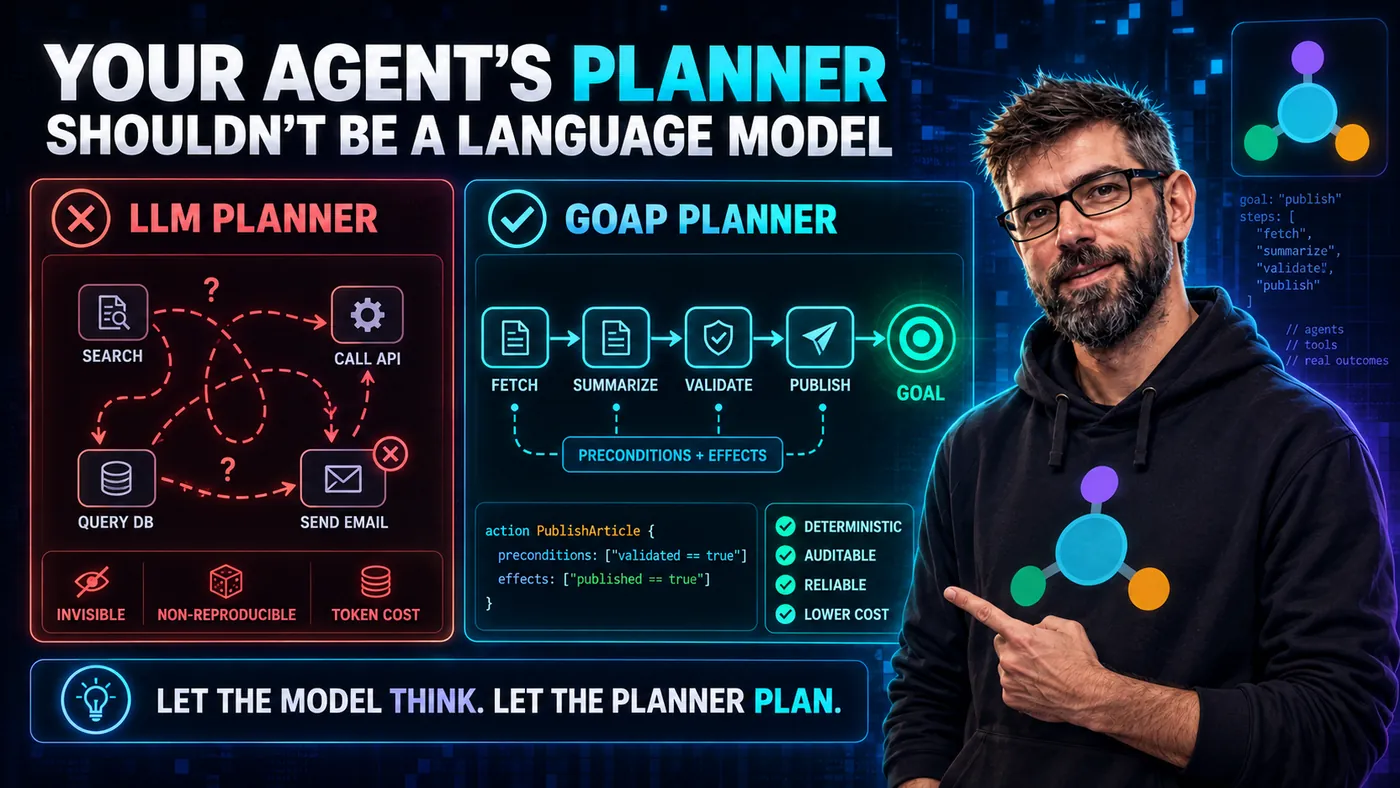
Series cover. A red LLM planner panel shows tangled arrows between tools, labelled invisible, non-reproducible and costly in tokens. A green GOAP planner panel shows an ordered chain from fetch to goal with preconditions and effects, labelled deterministic and auditable. The strapline reads: let the model think, let the planner plan.

Here is a question worth sitting with. Your agent has twelve steps it can take, MCP tool calls among them. A user asks for something that needs four of them, in a particular order. Who decides that order?

For almost every agent shipping today, the answer is: the language model. The same stochastic, temperature-sampled, occasionally-confidently-wrong component that we carefully sandbox, rate-limit, and never trust with raw SQL is also the component we hand the entire execution plan to. We validate its outputs obsessively. We rarely validate its plans, because the plan does not exist as an object you could validate.

There is another way to do this, it comes from video games, and it has a production release on the JVM.
Your MCP Server Must Refuse That Token

· 15 min read
TheMCPGuy
MCP Developer & Educator

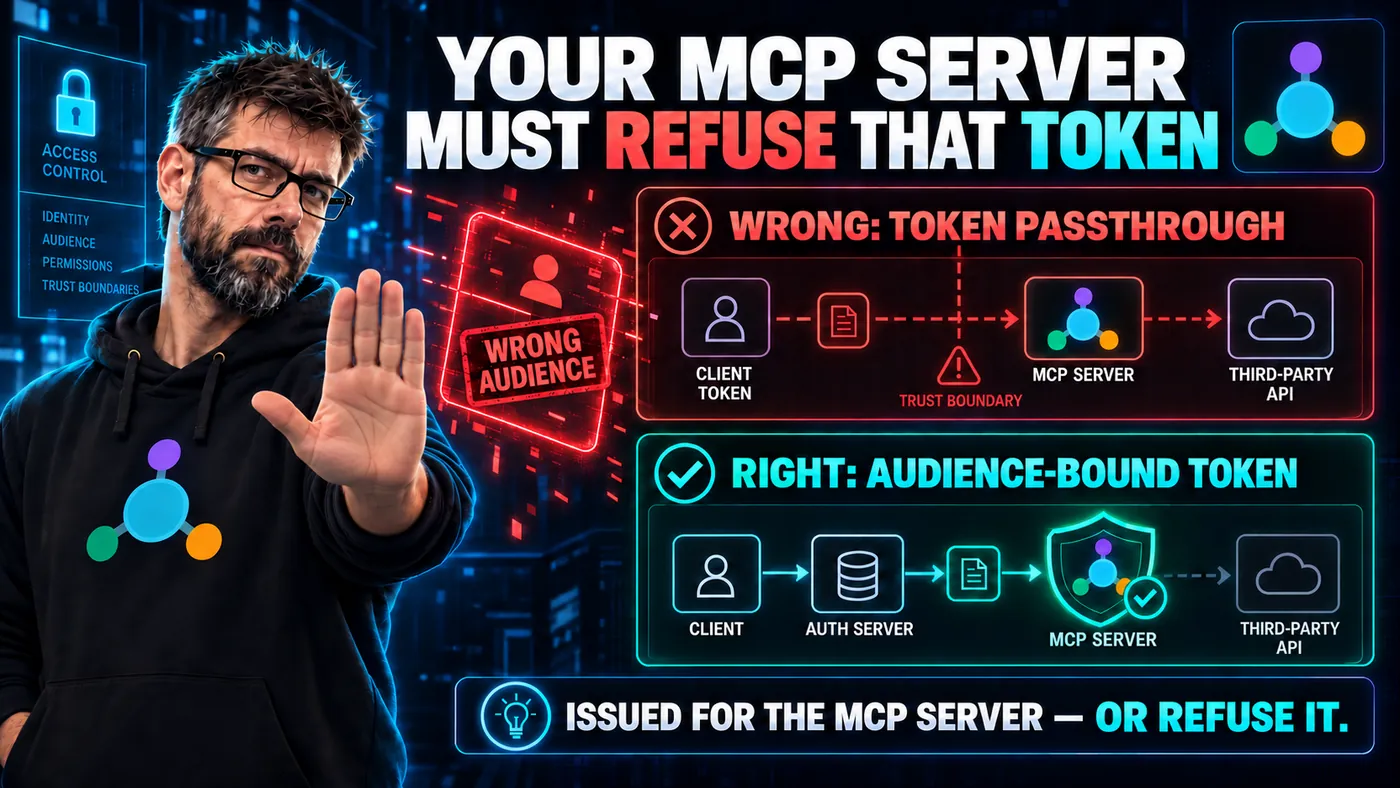
Series cover. A red row shows a client token passed straight through an MCP server to a third-party API across a trust boundary, marked wrong audience. A green row shows the client getting an audience-bound token from an auth server first. The strapline reads: issued for the MCP server, or refuse it.

You are wrapping a third-party API in an MCP server. The client that connects to you already holds an access token for that API, and it sends the token along. Your server has the token, the API wants the token, and there is a perfectly good Authorization header sitting right there.

Forward it. Ship it. Move on.

The MCP specification says otherwise, in the flattest language it uses anywhere: MCP servers MUST NOT accept any tokens that were not explicitly issued for the MCP server. Most of the security guidance in MCP is a SHOULD. This one is a MUST NOT, and it is worth understanding why the bar is set that high.

MCP Grew a UI Layer: The First Official Extension Renders Apps in Your Chat

· 11 min read
TheMCPGuy
MCP Developer & Educator

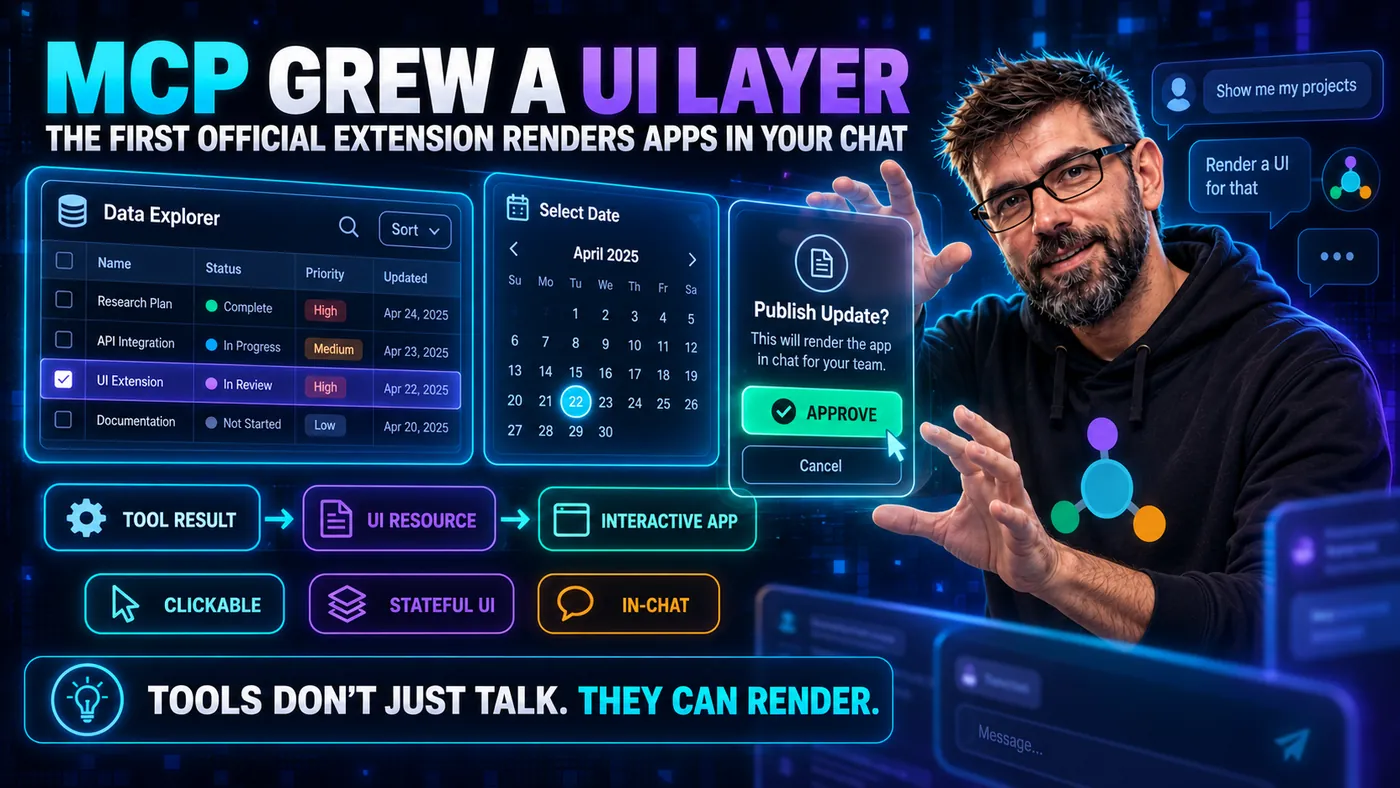
Series cover. A sortable data table, a date picker and an approval dialog float as interactive panels inside a chat, tagged tool result, UI resource and interactive app. The strapline reads: tools don't just talk, they can render.

For its entire life, MCP has spoken in content you cannot touch. A tool can hand back text, JSON, images, even audio, but it is all content to be displayed, and the model narrates the result back to you in words. That was a deliberate, sensible constraint, and it was always going to hit a ceiling. Some answers are a paragraph. Others are a chart, a date picker, a seat map, a diff you want to click.

As of early 2026, MCP has an answer: MCP Apps, the protocol's first official extension, which lets a tool ship interactive UI that renders right inside the conversation.

Your Agent Is Drowning in Tool Definitions (Code Execution Throws It a Rope)

· 12 min read
TheMCPGuy
MCP Developer & Educator

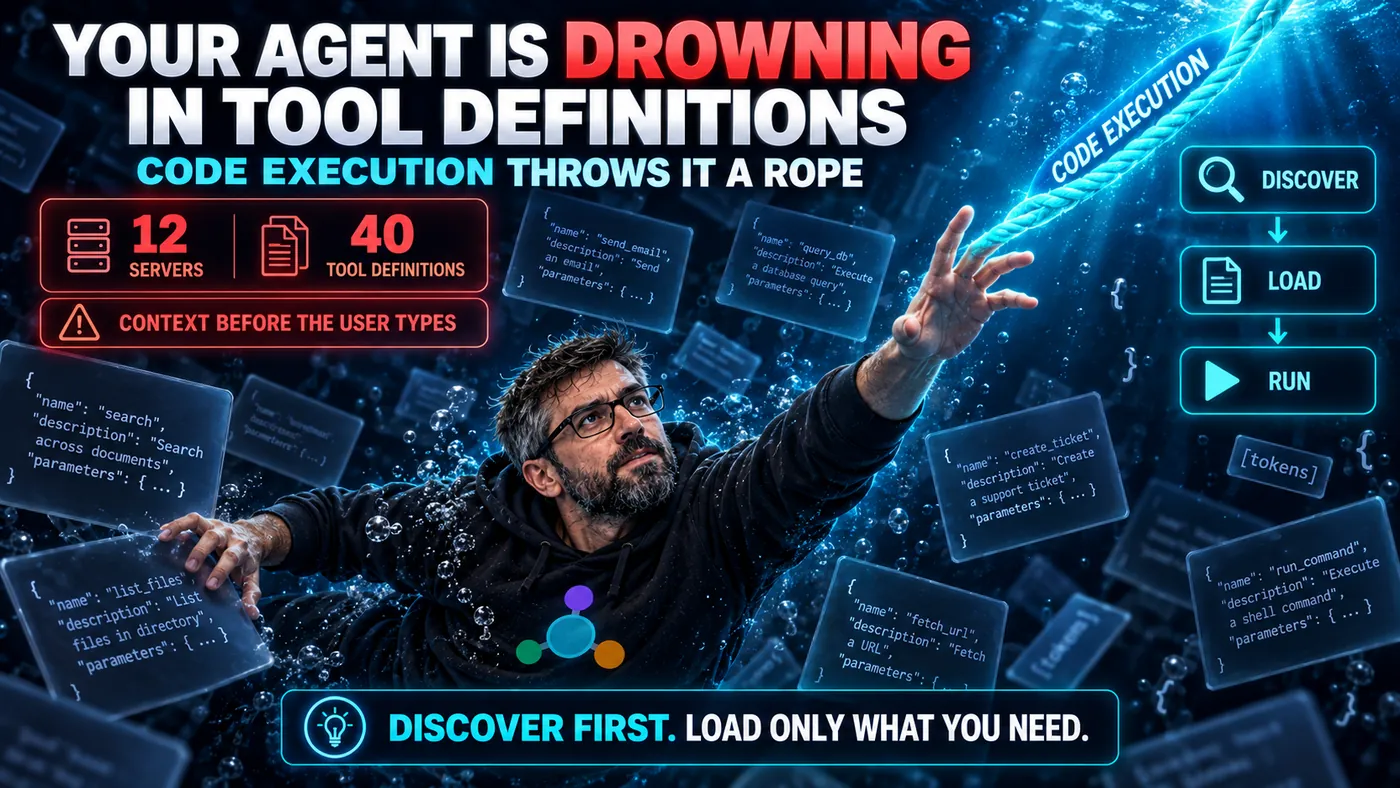
Series cover. A figure is submerged in drifting tool-definition JSON, with counters reading twelve servers and forty tool definitions consumed before the user types. A beam labelled code execution offers discover, load, run. The strapline reads: discover first, load only what you need.

Here is a cost nobody warns you about when you wire up your fifth MCP server: your agent gets dumber and more expensive at the same time, and it happens before the user has typed a single word.

The reason is boring and brutal. Every tool your servers expose ships a definition: a name, a description, a JSON schema for its inputs, often examples. All of it gets serialized into the model's context window on every single turn, just so the model might pick the right tool. Connect a few busy servers and you are spending six figures of tokens describing tools the model will ignore for this particular request.

MCP Has Six Primitives, Not Three. Here's the Half You're Ignoring.

· 21 min read
TheMCPGuy
MCP Developer & Educator

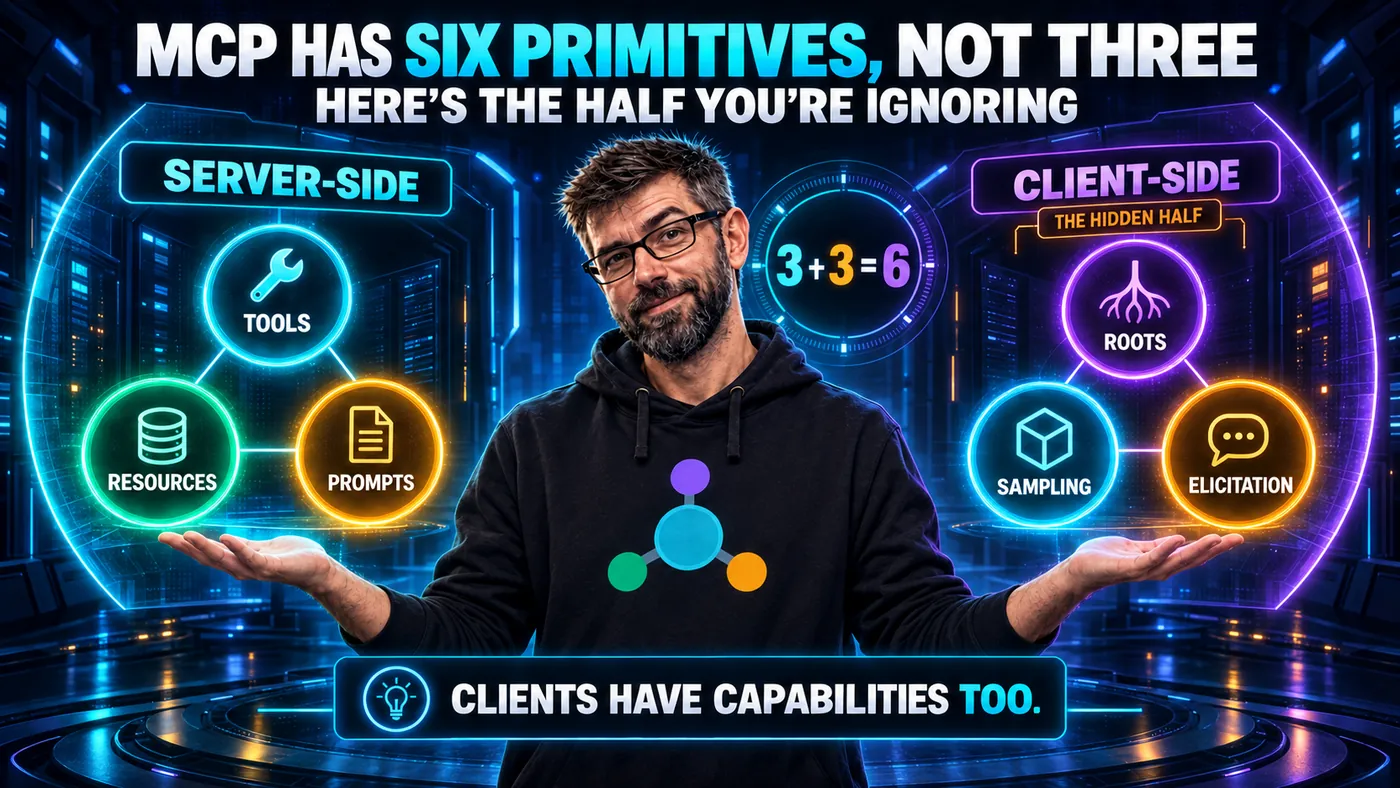
Series cover. A server-side ring holds Tools, Resources and Prompts, a client-side ring labelled the hidden half holds Roots, Sampling and Elicitation, and between them sits three plus three equals six. The strapline reads: clients have capabilities too.

Pop quiz. Name the MCP primitives.

If you've read any MCP introduction in the last eighteen months, you said: Tools, Resources, Prompts. You're right. Those are the things you build, the things you expose, the things every tutorial walks you through.

You are also wrong, in the sense that you are halfway right.

MCP has six primitives. The three you know are server-side: things your server exposes to the client. The three nobody seems to want to talk about are client-side: things the client exposes to your server. They are Roots, Sampling, and Elicitation, and the reason they get ignored is exactly the reason you should care about them.

The Day MCP Stopped Watching the Clock

· 19 min read
TheMCPGuy
MCP Developer & Educator

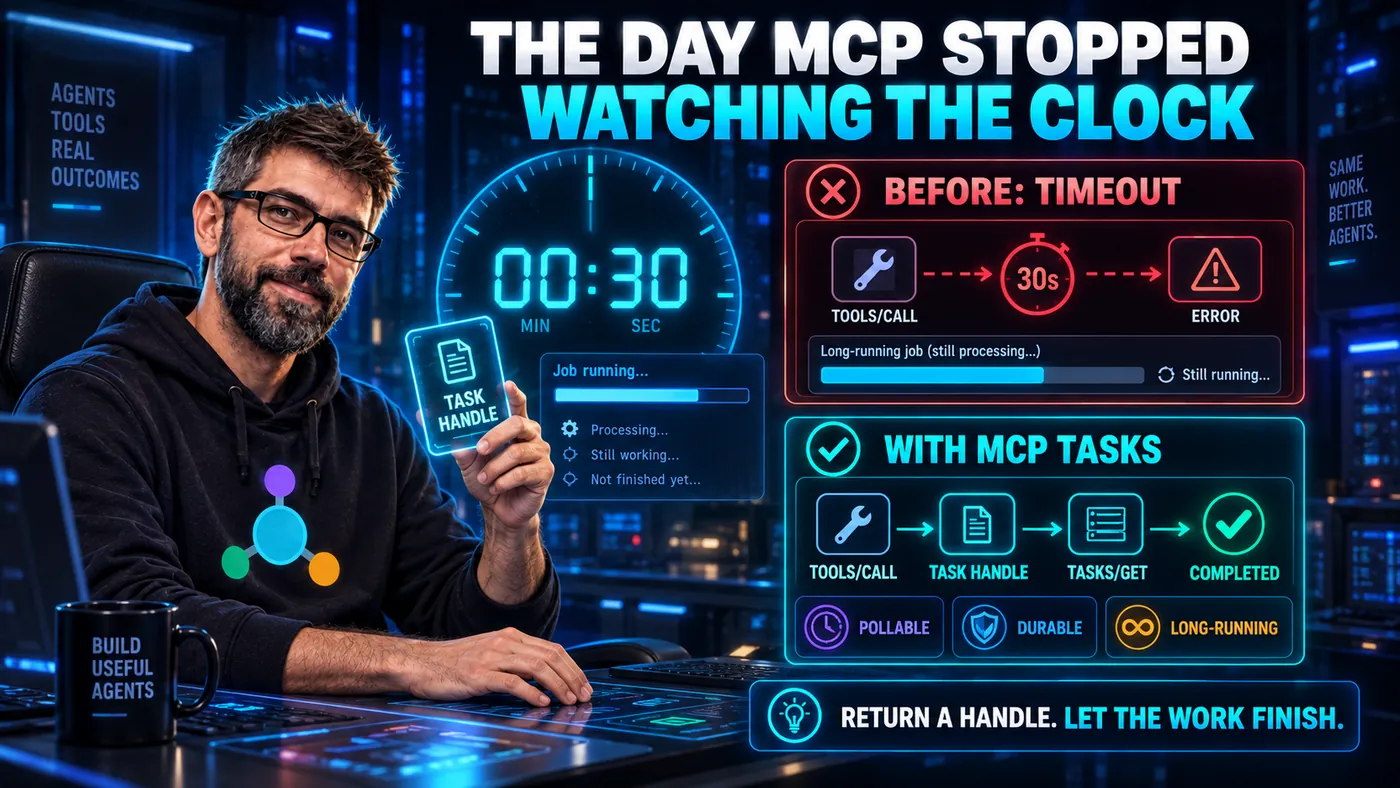
Series cover. A stopwatch reads thirty seconds. A red row shows a tool call timing out at that mark, and a green row shows the same call returning a task handle that is polled until it completes. The strapline reads: return a handle, let the work finish.

Every developer who has integrated an AI with a real backend knows this pain. The user says, "Run the data refresh." The MCP tool kicks off a job. The job takes four minutes. The MCP request times out at thirty seconds. The model receives an error and confidently tells the user, "I was unable to run the data refresh," even though the refresh is, at this very moment, happily running.

For about a year, MCP did not have a good answer for this. You either polled, you faked it, or you accepted that long-running operations weren't really part of the protocol's worldview. The 2025-11-25 spec changed that by introducing Tasks: a first-class way to say "this isn't going to finish in the next thirty seconds, and that's fine."

Your Tool Description Is a Prompt (And You're Writing It Like a JIRA Ticket)

· 18 min read
TheMCPGuy
MCP Developer & Educator

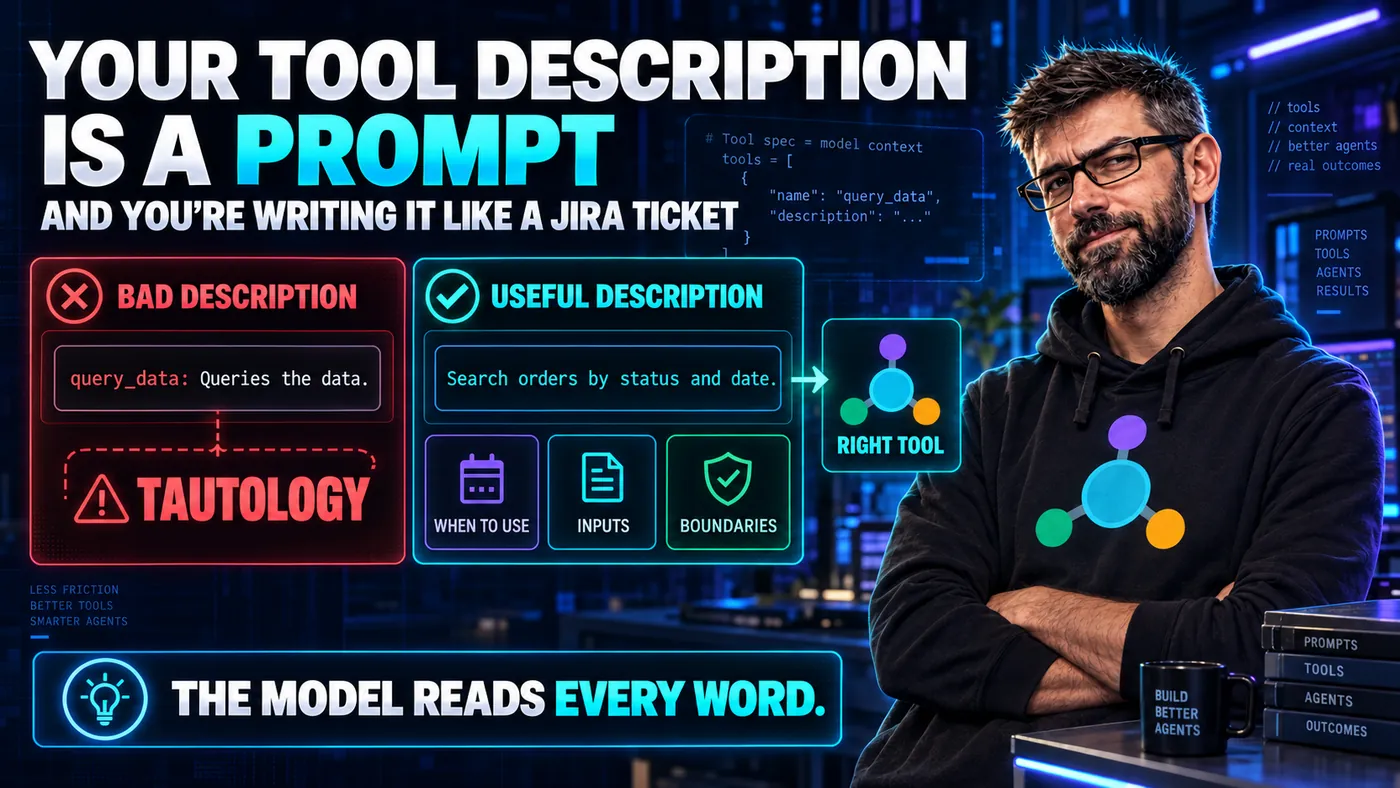
Series cover. A bad description reading query_data: queries the data is marked as a tautology in red, next to a useful one that says search orders by status and date and adds when to use it, its inputs and its boundaries. The strapline reads: the model reads every word.

Here is a tool description from a real, public MCP server. The name has been changed because I'm not in the business of public shaming, but the wording is unchanged:

query_data: Queries the data.

Two words. One of which is the tool's own name. The other a tautology. This is what happens when a developer treats description as a field on a struct rather than what it actually is: a prompt fragment that the AI reads to decide whether to call your tool.

If you are writing tool descriptions the way you write Swagger comments, you are writing them wrong. Let's talk about why.

The Three Laws of MCP (Asimov Can Rest Easy)

· 17 min read
TheMCPGuy
MCP Developer & Educator

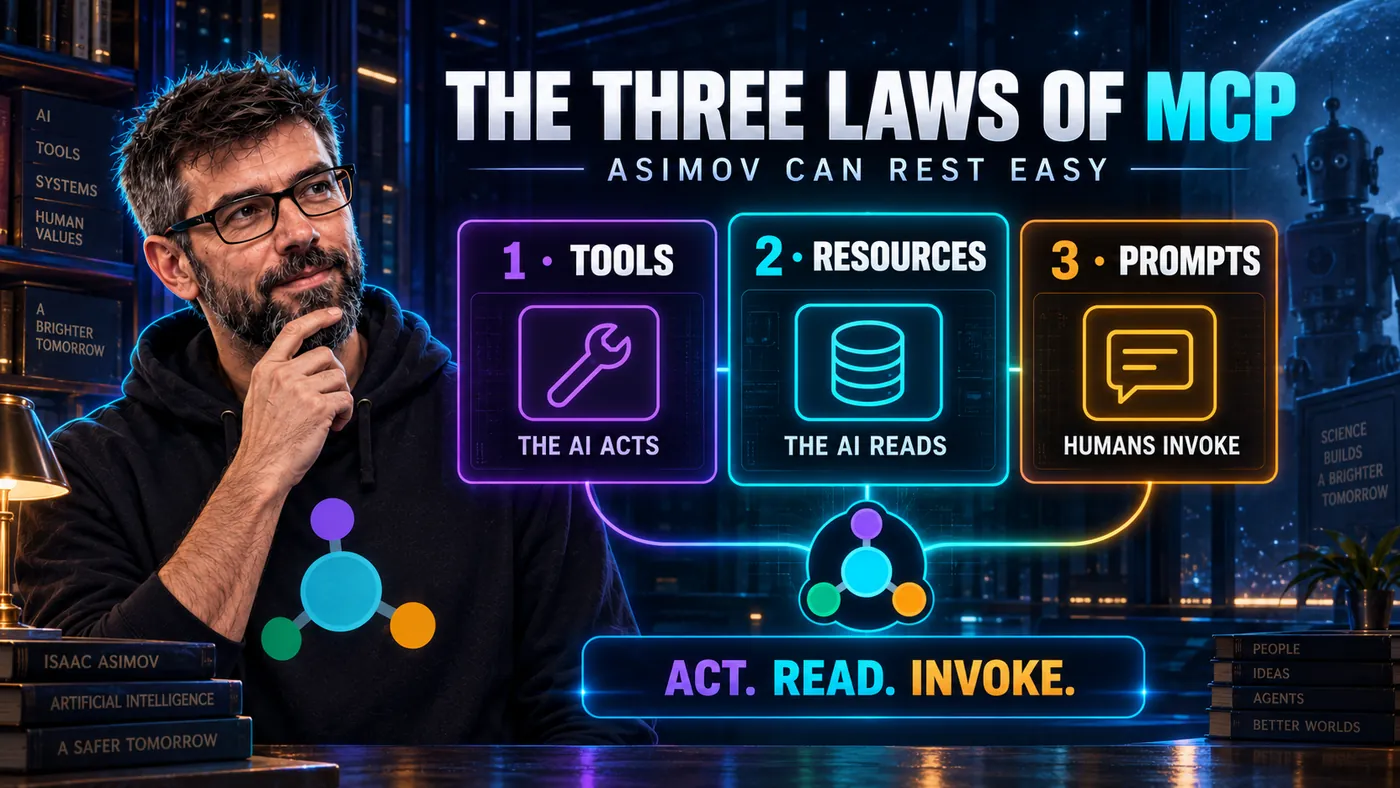
Series cover. Three numbered panels: Tools, where the AI acts; Resources, where the AI reads; Prompts, which humans invoke. The strapline reads: act, read, invoke.

Asimov's Three Laws of Robotics encoded a philosophy about how robots should relate to humans. They weren't just rules, they were a framework for reasoning about harm, autonomy, and control. The laws conflicted with each other by design, forcing a hierarchy.

MCP's three primitives, Tools, Resources, and Prompts, encode a similar philosophy. They're not just API categories. They're a framework for reasoning about how AI should interact with the world: what it can change, what it can only read, and what humans explicitly invoke.

Get them right, and your MCP server is intuitive, safe, and composable. Get them wrong, and you'll wonder why the AI keeps calling the wrong thing at the wrong time.