Why Hardcoding Tool Calls Is the New Technical Debt

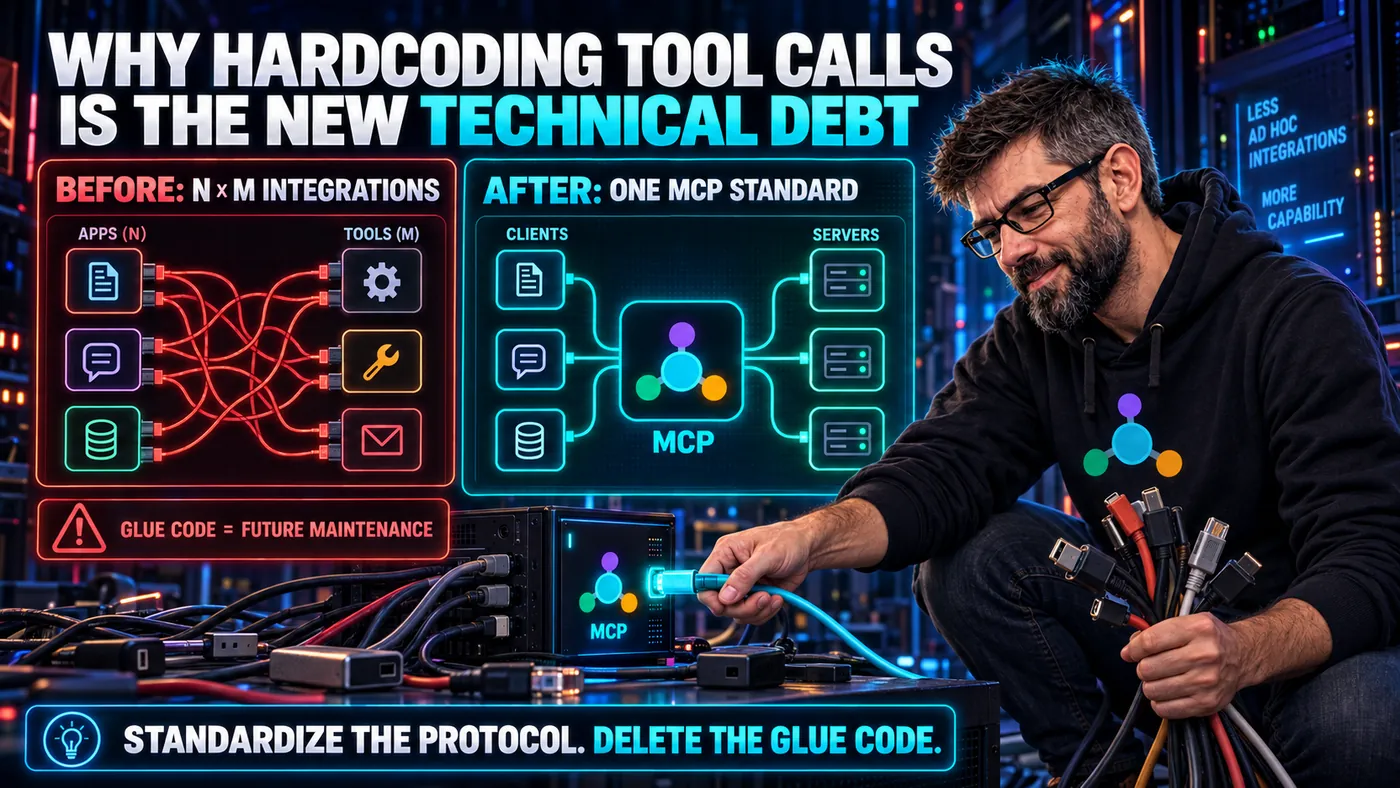
Every time you write a bespoke AI tool integration without a standard, you're making a promise to your future self: I will maintain this forever, or I will rewrite it later.
You're not going to maintain it. And "later" has a way of arriving at the worst possible moment.
What Hardcoded Tool Calls Look Like
Here's a pattern you've probably written, or will write soon:
def call_ai_with_tools(user_message):
    response = openai.chat.completions.create(
        model="gpt-4o",
        messages=[{"role": "user", "content": user_message}],
        tools=[
            {
                "type": "function",
                "function": {
                    "name": "search_customers",
                    "description": "Search customers",
                    "parameters": {
                        "type": "object",
                        "properties": {
                            "query": {"type": "string"}
                        }
                    }
                }
            }
        ]
    )

    if response.choices[0].message.tool_calls:
        tool_call = response.choices[0].message.tool_calls[0]
        if tool_call.function.name == "search_customers":
            args = json.loads(tool_call.function.arguments)
            results = db.search_customers(args["query"])
            # ... feed results back to model
This code works. Right now. For this model. In this application.
The debt isn't visible yet. The debt appears when:
- You want the same tool in a different application → copy-paste, diverge forever
- You switch from GPT-4 to Claude → the tool definition format is different, rewrite
- You want to use a specialised AI client (Cursor, Claude Desktop) → they can't use your custom function definitions, rewrite
- A colleague builds the same tool for their project → you now have two implementations of
search_customers, slowly diverging
This is technical debt in its purest form: a decision that makes today faster at the cost of tomorrow's flexibility.
The Root Cause: Integration Without a Standard
The underlying problem isn't that your code is bad. It's that you're implementing the integration layer from scratch, so interoperability is entirely your problem.
Every AI provider has slightly different function-calling APIs:
- OpenAI: two shapes. Chat Completions is the one in the sample above, and the newer Responses API is the one OpenAI now teaches for tool calling
- Anthropic: one flat shape, and it calls the schema field
input_schema - Google: two shapes as well.
generateContentis legacy, and the Interactions API has been generally available since June 2026 and is the one Google recommends
The same idea, six ways, with MCP in the last row:
| API | Wrapper around each tool | Where the name goes | Where the JSON Schema goes |
|---|---|---|---|
| OpenAI Chat Completions | {"type": "function", "function": {...}} | function.name | function.parameters |
| OpenAI Responses | flat | name | parameters |
| Anthropic Messages | flat | name | input_schema |
Gemini generateContent (legacy) | {"functionDeclarations": [...]} | name | parameters |
| Gemini Interactions | flat | name | parameters |
MCP tools/list | flat | name | inputSchema |
Providers have converged a little, and that is worth saying plainly rather than pretending the mess is as bad as it was. But "a little" is not "enough". You still rewrite the definition when you switch vendors, and you rewrite it again when your vendor ships its next API and relabels the old one legacy.
And every AI client decides for itself where that wiring lives. Claude Desktop and Cursor both launch stdio servers themselves, starting each one as a local child process and talking to it over standard input and output.
| Client | Configuration file | Top-level key |
|---|---|---|
| Claude Desktop | ~/Library/Application Support/Claude/claude_desktop_config.json on macOS, %APPDATA%\Claude\claude_desktop_config.json on Windows | mcpServers |
| Cursor, one project | .cursor/mcp.json | mcpServers |
| Cursor, every project | ~/.cursor/mcp.json | mcpServers |
| VS Code and GitHub Copilot | .vscode/mcp.json | servers |
| Your custom chat UI | whatever you built last year | whatever you called it |
Those first three rows are closer than they look. Under each server name they all take command, args and env, so a stdio entry moves from one client to another almost unchanged. Cursor's field table additionally lists type: "stdio" as required, though its own examples leave it out. What differs is where the file lives and how far it reaches. A customers server, wired into any of the three:
{
  "mcpServers": {
    "customers": {
      "command": "npx",
      "args": ["-y", "@example/customers-server"],
      "env": { "DATABASE_URL": "postgres://localhost/app" }
    }
  }
}
Be careful what you conclude from that, though. The shared shape is not something MCP standardised: it is the format Anthropic shipped with Claude Desktop, which other clients copied. SEP-2633, a draft Specification Enhancement Proposal to actually standardise client configuration, exists precisely because clients still disagree over the top-level key. Convergence by imitation is still convergence, but it is a vendor convention that grew up around the protocol, not something the spec handed down.
Without a standard, you're writing N × M integrations, where N is the number of tools and M is the number of clients/models. Three clients and three tools is nine pieces of custom wiring, one per pair:
Every combination is custom. Every combination is technical debt.
MCP as the Technical Debt Cure
MCP changes the equation. Instead of N × M integrations, you write N + M. The same three clients and three tools cost six pieces of work:
A fourth client adds three arrows to the first picture and one to this one.
Write your search_customers Tool in an MCP server once, with a name, a description and an inputSchema. It works with every MCP-compatible AI client: Claude Desktop, Cursor, GitHub Copilot, any agent framework that implements the spec. Write your client integration once (or just configure a supported client). It works with every MCP server.
The math is simple. The implications are significant.
"But I'm Moving Fast Right Now"
The most common objection: "MCP is extra complexity I don't need yet."
Let me challenge that framing. Writing a custom tool integration isn't "moving fast." It's taking on debt with a high interest rate. You will pay that debt: when you switch models, when you add a second client, when a colleague needs the same tool, when you need to audit every place your database is accessed by an AI.
MCP is not extra complexity. It's upfront complexity in exchange for long-term simplicity. It's the architectural equivalent of writing a test, it costs time now, saves time continuously.
The developers who say "we'll standardise later" are the same developers who rewrite their entire data access layer after three years of accumulated debt. Standardising later always costs more than standardising now.
The One Valid Exception
If you're building a one-off prototype that will be thrown away after a demo, hardcode everything. Life's short. Ship the prototype.
The moment "prototype" becomes "this is what we're building on," you're in the technical debt danger zone. The prototype's tool integration doesn't get deleted, it becomes the foundation. And foundations matter.
The Migration Path
Already have custom tool integrations? Migration to MCP is mechanical, not creative:
| Step | What moves | Where it ends up |
|---|---|---|
| 1 | The body of your if tool_call.function.name == "search_customers" branch | A standalone class with one method, independent of any model SDK |
| 2 | That class | An MCP server, exposing the class as a Tool with a name, a description and an inputSchema |
| 3 | Your tools=[...] array and the dispatch code around it | An MCP client connection, or a config entry in a client that already speaks MCP |
| 4 | The old function-calling code | Deleted |
For most tools, this is a day's work. For a large system with many tools, a week. The payoff is proportional to how many clients and models you eventually want to support.
A Standard Is Not a Constraint, It's a Superpower
I want to end with a mindset shift.
Standards feel like constraints when you first encounter them. You have to learn the protocol. You have to implement a server. You can't just hack a function call directly.
But standards are how ecosystems are built. HTTP felt like overhead until the entire web was built on it. USB-C felt like a forced migration until you stopped carrying five chargers.
MCP is the point where AI tool integration stops being a proprietary, application-specific concern and becomes a shared, ecosystem-level capability. Every server you build contributes to that ecosystem. Every server someone else builds is a server you might not need to build.
Build MCP servers. Not because it's easier today, it might not be. Because it's the only thing that doesn't become technical debt tomorrow.
Ready to start?
- The Java SDK course takes you from "what even is an MCP server" to production-grade deployment.
- The MCP Fundamentals course gives you the theory first, if you prefer to understand before you build.
Further Reading
- MCP specification 2026-07-28: Tools: the full Tool definition, with the
title,outputSchemaandannotationsfields alongside the three named above, and thetools/listandtools/callmessages that carry them. - MCP: Architecture overview: how host, client and server divide the work, and what the stdio and Streamable HTTP transports each suit.
- Connect to local MCP servers: a walkthrough that wires a filesystem server into Claude Desktop and runs it, if you want to try the configuration above for yourself.
- Tool use with Claude: the
tool_usetotool_resultround trip in full, which is what the Python sample above is imitating by hand. - Migrate to the Gemini Interactions API: the old and new Google shapes side by side, so you can see how much of a rewrite one vendor's next API costs.
- Cursor docs: Model Context Protocol: the rest of Cursor's MCP support, including remote servers and the approval prompts around tool calls.
- Use MCP servers in VS Code: the same wiring in a second client, covering the workspace file, the user-level file, and servers reached over HTTP.
- SEP-2633: Standard Client-Side Configuration Format: the proposal and its review thread, where the argument over whether the spec should fix the top-level key is still running.
Sources
- OpenAI: Function calling: that the Responses API declares each function flat, and that it is the API OpenAI teaches for tool calling.
- OpenAI API reference: Create chat completion: that Chat Completions nests each tool inside a
functionobject. - Tool use with Claude: that Anthropic's tool is flat and names the schema field
input_schema. - Migrate to the Gemini Interactions API: that
generateContentnestsfunctionDeclarationsinside eachtoolsentry, and that the Interactions API drops that wrapper. - Gemini Interactions API: that the Interactions API is generally available as of June 2026 and recommended for new projects.
- Connect to local MCP servers: the Claude Desktop paths on macOS and Windows, and the
mcpServerskey withcommand,argsandenv. - Cursor docs: Model Context Protocol: Cursor's two
mcp.jsonpaths, andtypelisted as required while its own examples omit it. - Use MCP servers in VS Code: that VS Code uses a top-level
serverskey in.vscode/mcp.json. - Extend Copilot Chat with MCP: that GitHub Copilot is an MCP client.
- SEP-2633: Standard Client-Side Configuration Format: that MCP does not standardise client configuration, and that the proposal is a draft opened on 22 April 2026.
- MCP specification 2026-07-28: Tools: the Tool fields
name,descriptionandinputSchema. - MCP: Versioning: that
2026-07-28is the current protocol revision.